Open Source Software Package Manager
Solve your dependency puzzle
Pixi is built on top of the existing conda ecosystem. Automatic lockfiles produce reproducible environments across operating systems without Docker!

Start Right Away
Easy installation
To install, run the following command in your terminal. Or find alternative installation methods in our documentation.
curl -fsSL https://pixi.sh/install.sh | bash
Pixi add python=3.12
Get started quickly
Our mission is to make pixi as simple as possible to use. Getting a complex project running is as simple as pixi run start. Work in dedicated, isolated environments that can still be recreated in a 100 years. Simplify complex tasks by utilizing command shortcuts.
➜ pixi init project
✓ Created /home/user/project/pixi.toml

➜ cd project
~/project
➜ pixi add python numpy cmake
✓ Added python >=3.13.0,<3.14
✓ Added numpy >=2.1.3,<3
✓ Added cmake >=3.31.1,<4

~/project
➜ pixi run python --version
Python 3.13.0

~/project
➜ pixi add python==3.10
✓ Added python==3.10

~/project
➜ pixi run python --version
Python 3.10.0
Share your project
Collaborate with others
Great projects are the fruit of collective effort. Pixi makes onboarding and collaboration simple and seamless. Always maintain updated lockfiles. Ensure compatibility across Windows, MacOS, and Linux. Leverage Git to keep track of your environment changes.
~/project
➜ cat pixi.toml
[project]
name = "project"
version = "0.1.0"
description = "Example project"
authors = ["Pixi <hi@prefix.dev>"]
channels = ["conda-forge"]
platforms = ["linux-64", "win-64", "osx-arm64", "osx-64"]

[tasks]
start = "python main.py"

[dependencies]
python = ">=3.13.0,<3.14"
numpy = ">=2.1.3,<3"
cmake = ">=3.31.1,<4"
Pixi build - from Project to Package
Build and distribute
Transform your project into a Conda package for effortless installation on any machine.
Upload the Conda package to prefix.dev, an S3 bucket, or any other Conda channel provider to share it with the world (or your team).
~/project
➜ pixi build
✓ Build project successfully into /home/user/project/project-0.1.0.conda
Globally install your
Favorite Devtools
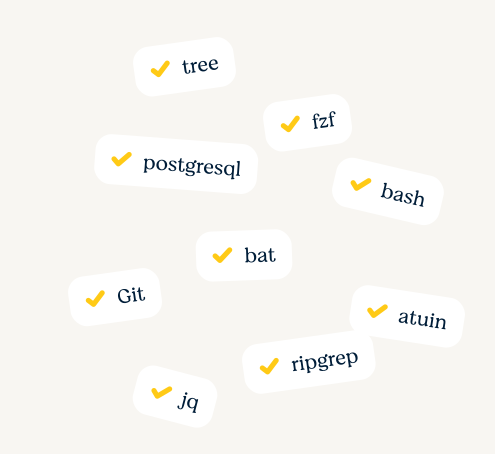
Tools like git, bat, curl, bash, jq, tree, fzf, ripgrep, fd or atuin are quick to install globally with pixi global install ... . They are declaratively registered in a .toml file that you can re-use on your next machine.
Companion tools
Meet Pixi's friends
pixi-pack: Package your Pixi environments into self-extracting archives for simple distribution
pixi-docker: Turn your project into a Docker container and deploy wherever you want!
conda-deny: Find and deny licenses in your pixi-projects